

🎤 How to Record Voice-Over Like a Pro in 2025
Whether you’re producing documentaries, commercials, YouTube videos, or podcasts, recording professional-grade voice-overs is an essential skill. Poor audio can break viewer trust in seconds, while a well-recorded voice-over builds credibility and keeps your audience engaged.
In this guide, you’ll learn how to record voice-over like a pro, from gear selection to editing techniques, with practical advice for creators at every level.
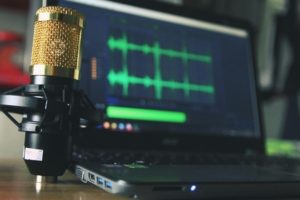
🎧 Why Voice-Over Quality Matters More Than Ever
With the rise of short-form video, mobile-first viewing, and immersive storytelling, sound quality is no longer optional — it’s expected. Clear, polished voice-overs enhance:
-
Viewer retention
-
Brand trust
-
Emotional engagement
-
Overall video production value
No matter your niche, learning professional voice-over recording is a long-term investment.
🎙️ Best Microphones for Voice-Over Recording
Choosing the best mic for voice-over depends on your environment and budget. Here are the top picks for 2025:
-
Rode NT1 5th Gen – Studio clarity with USB and XLR hybrid
-
Shure SM7B – Broadcast favorite, perfect for warm tones
-
Audio-Technica AT2020 – Affordable and clean for beginners
-
Elgato Wave DX – Ideal for YouTubers and streamers
Pro tip: Use a pop filter and a shock mount to avoid plosives and vibrations.
🛠️ Essential Voice-Over Gear Setup
Besides a good mic, here’s what else you need for a voice-over gear setup:
-
Audio interface (like Focusrite Scarlett 2i2)
-
Closed-back headphones (like Sony MDR-7506)
-
DAW (Digital Audio Workstation) such as Adobe Audition or Audacity
-
Boom arm or desk stand
-
Mic preamp (optional, for advanced users)
This setup ensures a clean signal and pro-level monitoring.
🔇 Soundproofing Tips for Clean Audio
Your voice can sound amazing, but room noise will ruin it. Here’s how to achieve clean audio recording with simple soundproofing:
-
Close windows and turn off noisy appliances
-
Use acoustic foam panels or moving blankets on walls
-
Record in small, quiet spaces like closets
-
Use a reflection filter behind your mic
-
Cover hardwood floors with rugs
The goal is to reduce reverb and isolate your voice from ambient noise.
🔊 Voice-Over Editing Tips for a Polished Sound
Once you’ve recorded, it’s time to edit. These voice-over editing tips will help:
-
Normalize audio levels to around -3 dB
-
Apply noise reduction to eliminate low hums or hiss
-
Use compression to balance loud and soft parts
-
EQ your voice – cut muddy lows, boost clarity around 2–5 kHz
-
Add a light limiter to prevent peaking
Always listen on good headphones and test on different devices.
🔁 Recording Techniques to Sound Natural
Even with great gear, delivery matters. Here’s how to improve voice-over quality with performance:
-
Warm up your voice
-
Smile slightly while speaking to add warmth
-
Speak clearly, but naturally – don’t overact
-
Record multiple takes and mark the best
-
Take breaks to avoid fatigue
The secret to sounding “pro” is consistency — in tone, pace, and energy.
🎙️ Recording Voice-Overs Remotely in 2025
Need to record clients or talent remotely? Here’s how to do it like a pro:
-
Use cleanfeed.net or Zencastr for studio-quality remote audio
-
Ask talent to record locally with their gear and send you the WAV
-
Provide a script guide and live direction over Zoom or Meet
-
Use cloud DAWs like Soundtrap for collaboration
Remote doesn’t mean amateur — with the right tools, it can be seamless.
📦 Final Takeaways
To truly master how to record voice-over like a pro, focus on three areas:
-
Environment – soundproof and controlled
-
Equipment – quality mic, interface, monitoring
-
Execution – clear delivery and detailed editing
Voice-overs can elevate your video content from good to unforgettable. In 2025, with so many affordable tools available, there’s no excuse for poor audio.
Articoli correlati
💡 Scopri anche i 5 formati video più richiesti dalle aziende locali.
💰 Ti interessa sapere i costi? Leggi quanto costa un video professionale.
🎬 Vuoi capire il valore nei contesti specifici? Approfondisci i video aziendali a Milano.


